Click the text. See the API.
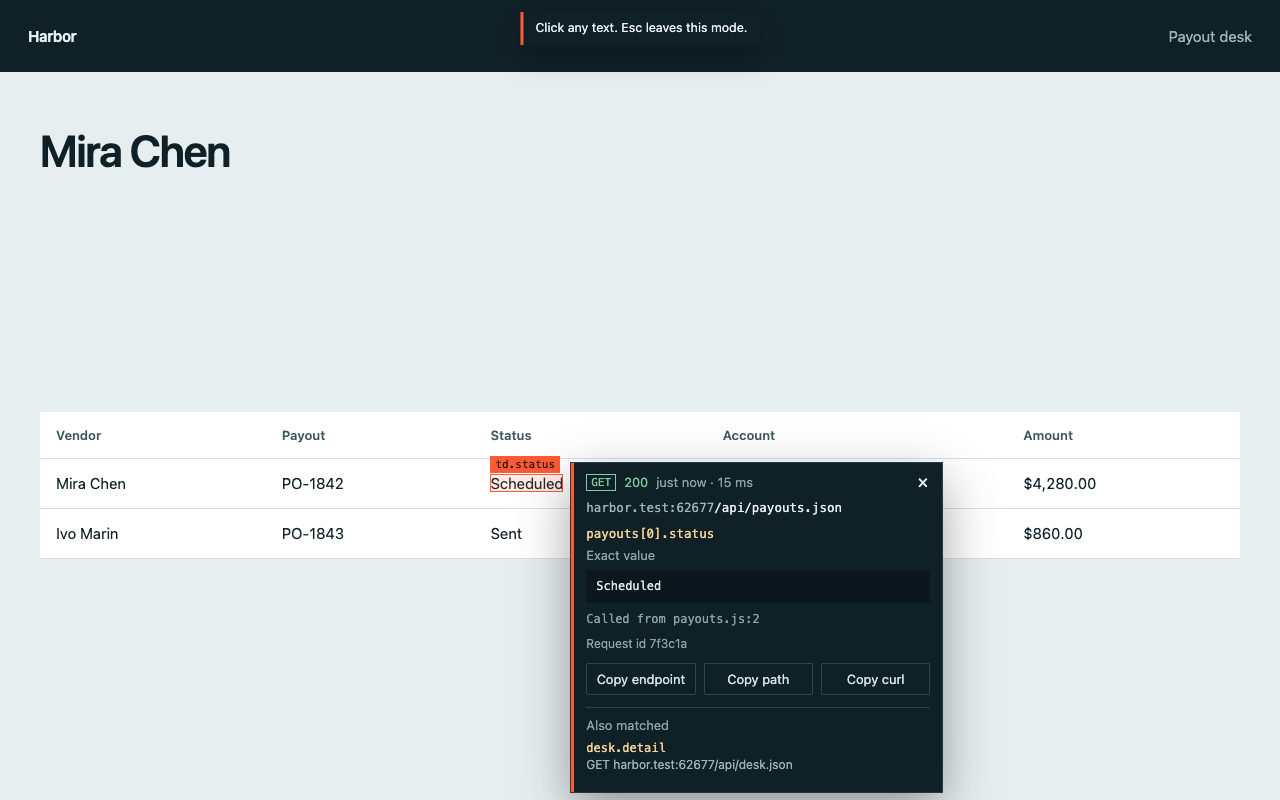
A Chrome extension for the moment a value is on the screen and the Network panel is a wall of calls. Click it. The panel names the request and the JSON field.
![Endpoint Picker open on a payouts table. The panel shows GET /api/payouts.json and the path payouts[0].vendor for Mira Chen.](media/hero.png)
The field, not the whole payload.
The first row is the exact value. Under it, any other response that also contains that text. Copy the endpoint, the path, or a curl command.
Install
- Download the zip and unzip it.
- Open chrome://extensions and turn on Developer mode.
- Choose Load unpacked and select the unzipped folder.
- Reload the tab, then start inspecting.